
เลือกคุณภาพวิดีโอ
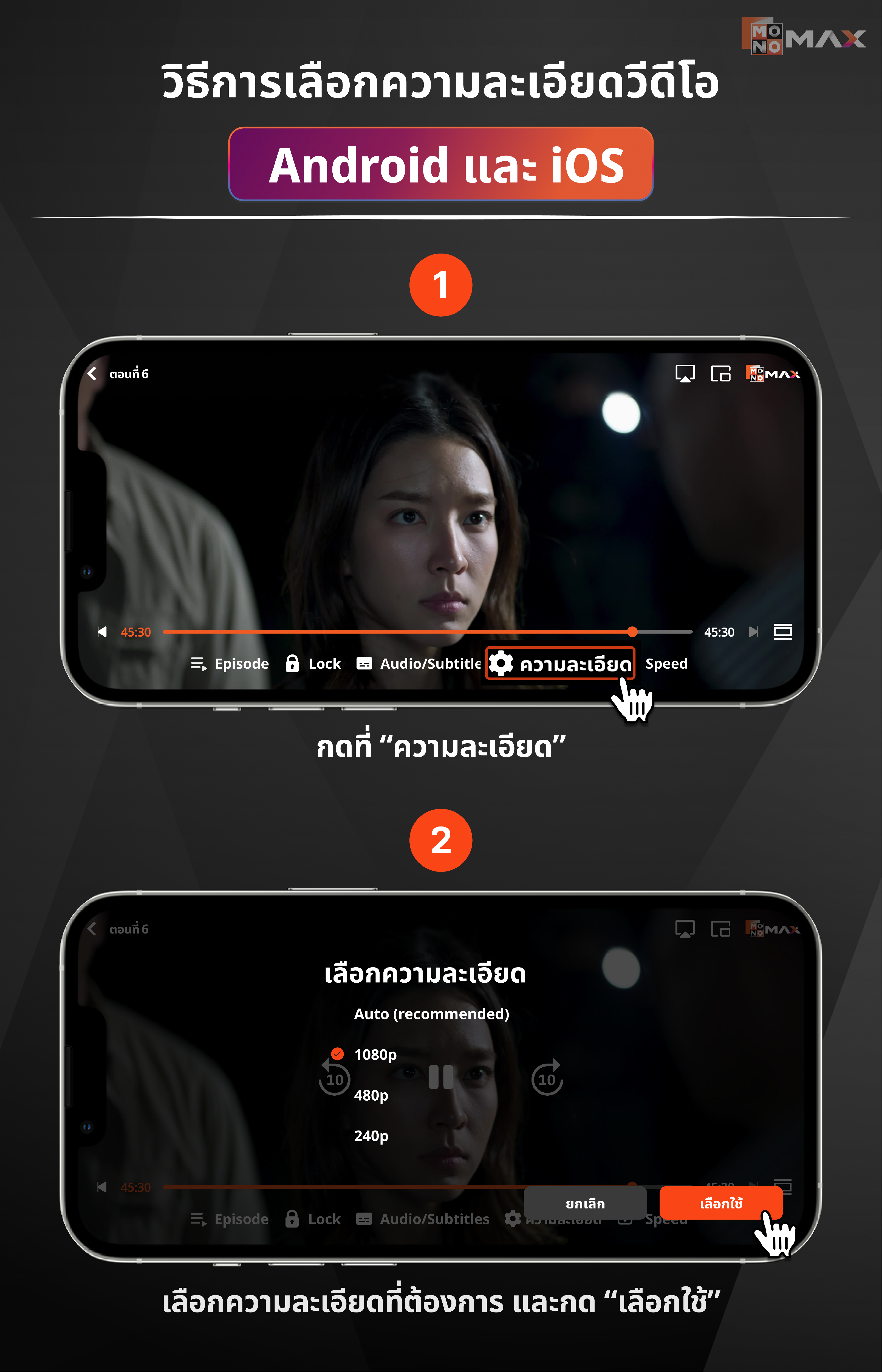
การตั้งค่าคุณภาพวิดีโอมี 3 เเบบ ได้เเก่ 240p/480p/1080p สามารถเลือกคุณภาพวิดีโอตามขั้นตอนต่อไปนี้
- ไปที่ภาพยนตร์/ซีรีย์ที่ต้องการรับชม
- เลือก "ความละเอียด"
- เลือกคุณภาพวิดีโอที่ต้องการ จากนั้นกดเลือกใช้
*หมายเหตุ : อุปกรณ์ Android TV และ Smart TV ไม่สามารถปรับคุณภาพวีดีโอได้
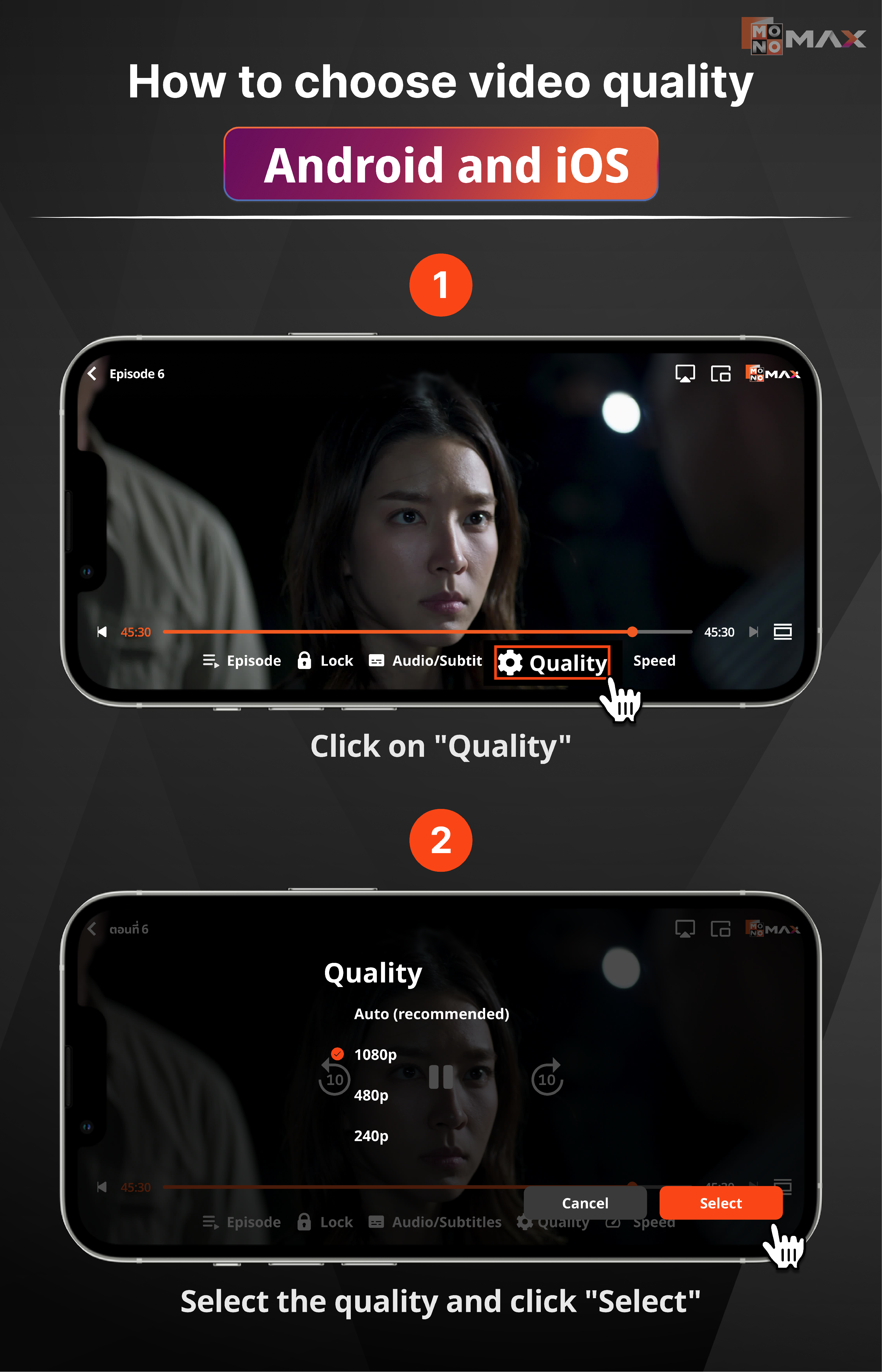
The video quality settings have 3 options: 240p/480p/1080p You can select the video quality following these steps
- Go to the movie/series you want to watch
- Select "quality "
- Choose the desired video quality, then press select
*Note : devices Android TV and Smart TV cannot adjust video quality
Các thiết lập chất lượng video có 3 tùy chọn: 240p/480p/1080p Bạn có thể chọn chất lượng video theo các bước sau
- Đi tới bộ phim/series bạn muốn xem
- Chọn "chất lượng "
- Chọn chất lượng video mong muốn, sau đó nhấn chọn
*Ghi chú: thiết bị Android TV và Smart TV không thể điều chỉnh chất lượng video