
ลืมรหัสผ่านบัญชี
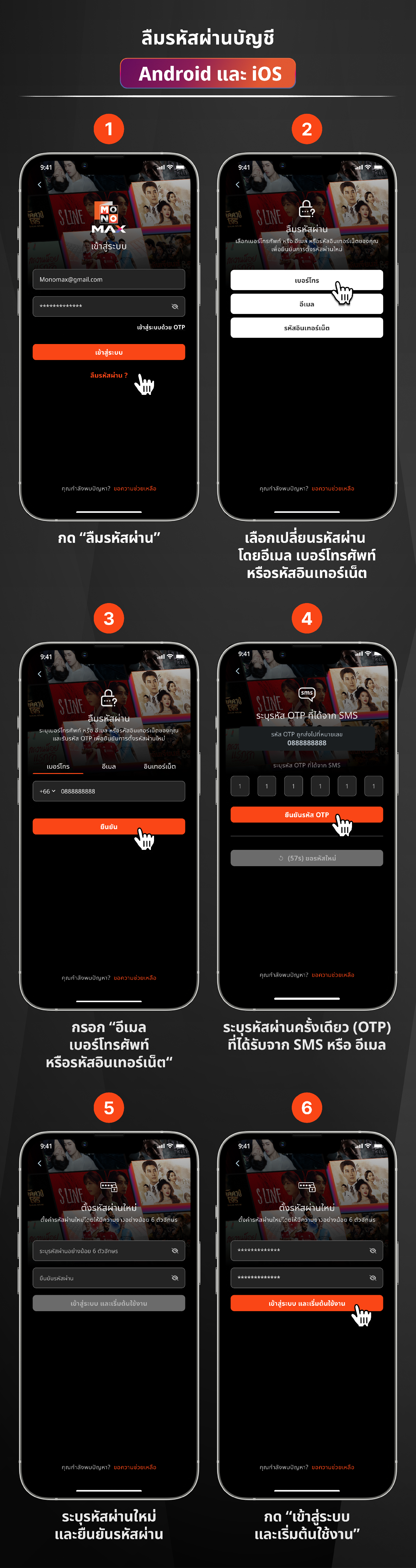
- บนแอพลิเคชัน เลือก ลืมรหัสผ่าน ในหน้าเข้าสู่ระบบ หรือคลิก https://www.monomax.me/account/forget_password
- ระบุชื่อผู้ใช้ที่เป็นอีเมล เบอร์โทรศัพท์ หรือหมายเลขอินเทอร์เน็ต
- ระบุรหัสผ่านครั้งเดียว (OTP) ที่ได้รับจาก SMS หรือ อีเมล
- เลือกบัญชีที่ต้องเปลี่ยนรหัสใหม่ (กรณีมีหลายบัญชี)
- ตั้งรหัสผ่านใหม่โดยให้มีความยาวมากกว่า 6 ตัวอักษร
-
สร้างรหัสผ่านใหม่สำเร็จ
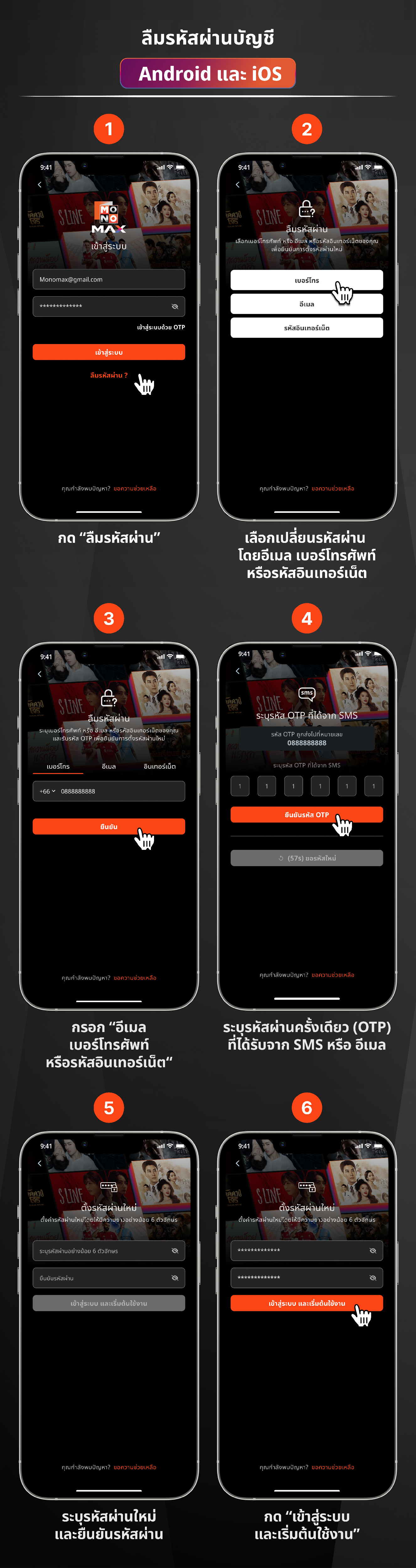
- In the application, select Forgot Password on the login page, or click https://www.monomax.me/account/forget_password
- Enter the username which is an email, phone number, or internet number
- Enter the one-time password (OTP) received from SMS or email
- Select the account that you want to change the password for (if there are multiple accounts)
- Set a new password with a length of more than 6 characters
- Successfully created a new password
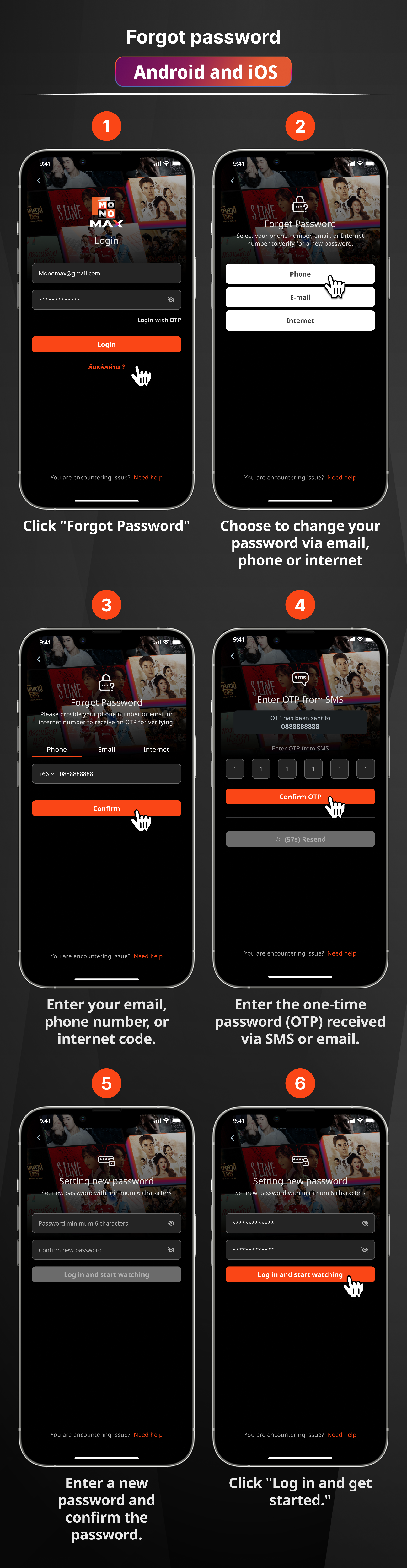
- Trên ứng dụng, chọn Quên mật khẩu trong trang đăng nhập hoặc nhấp vào https://www.monomax.me/account/forget_password
- Xác định tên người dùng là email, số điện thoại hoặc số internet
- Xác định mật khẩu một lần (OTP) nhận được qua SMS hoặc email
- Chọn tài khoản cần đổi mật khẩu mới (trường hợp có nhiều tài khoản)
- Đặt mật khẩu mới với độ dài lớn hơn 6 ký tự
- Tạo mật khẩu mới thành công