วิธีการเข้าสู่ระบบสำหรับลูกค้า AIS
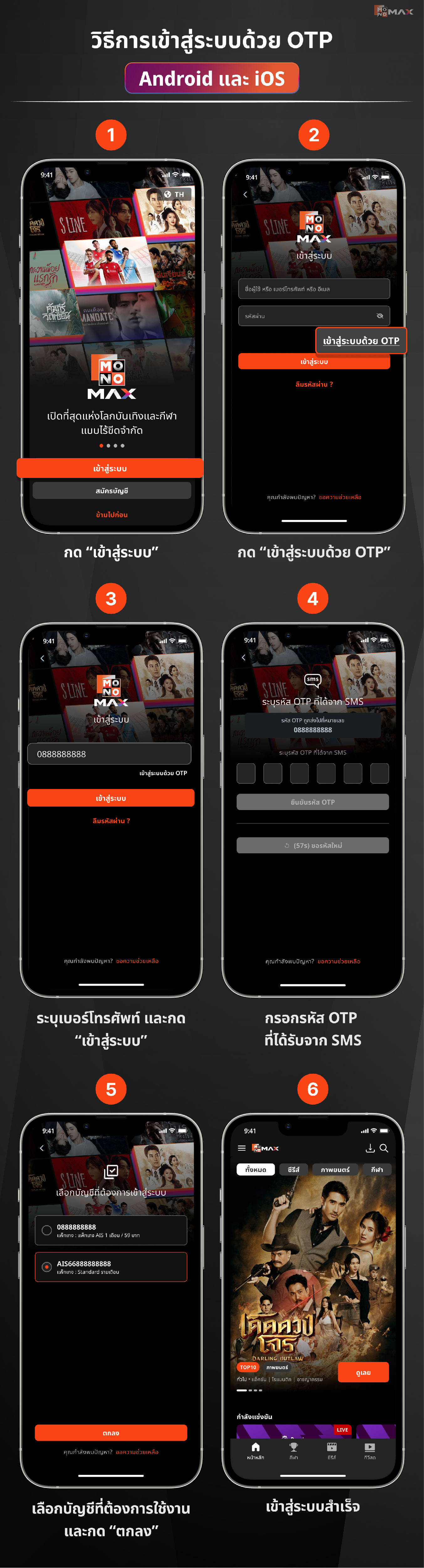
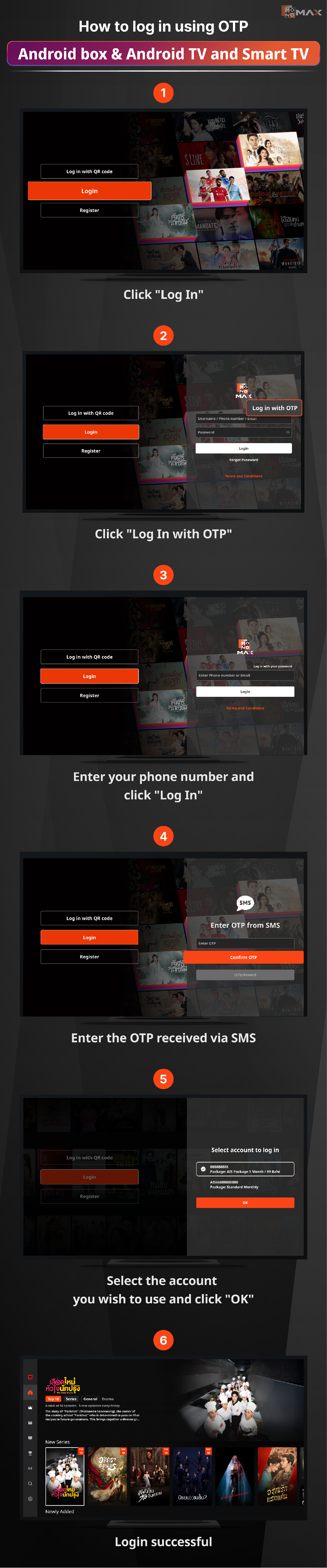
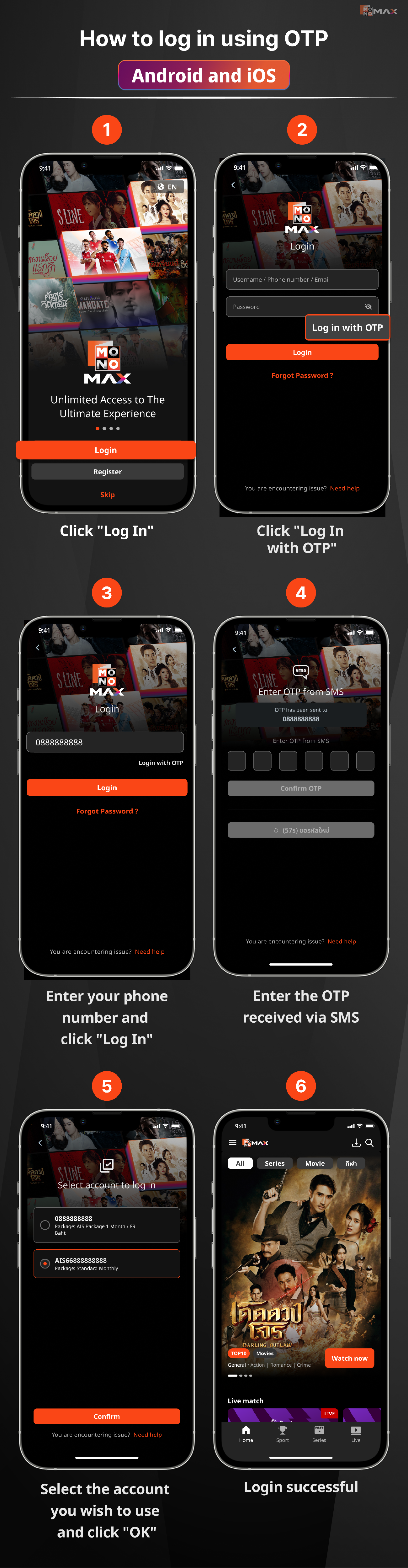
วิธีการเข้าสู่ระบบด้วย OTP ผ่าน Android และ iOS
- เปิดแอปพลิเคชัน Monomax จากนั้น กด “เข้าสู่ระบบ”
- กด “เข้าสู่ระบบด้วย OTP”
- ระบุเบอร์โทรศัพท์ และกด “เข้าสู่ระบบ”
- กรอกรหัส OTP ที่ได้รับจาก SMS
- เลือกบัญชีที่ต้องการใช้งาน และกด “ตกลง”
- เข้าสู่ระบบสำเร็จ
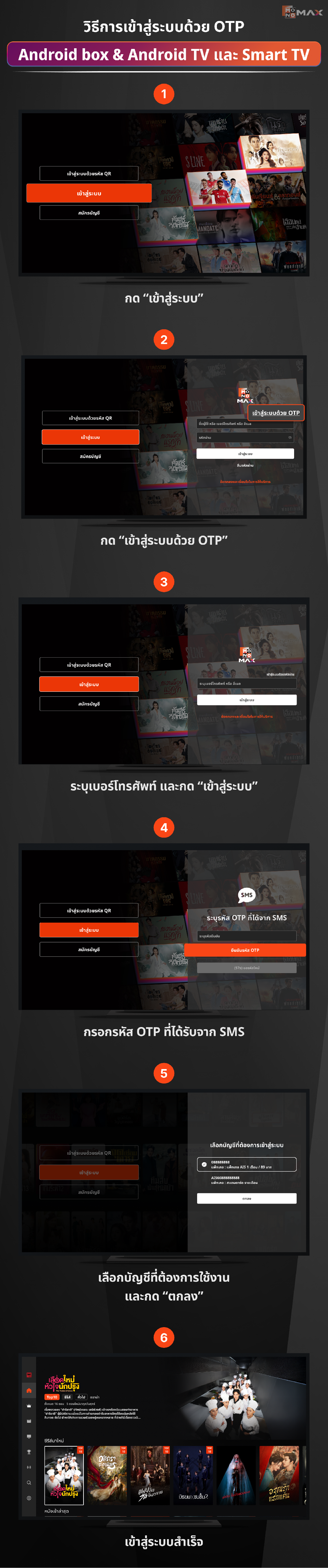
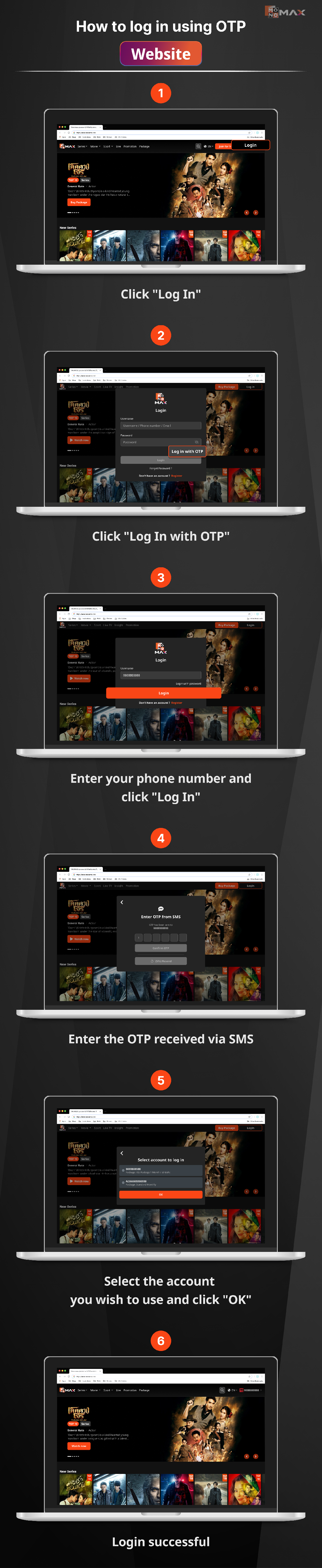
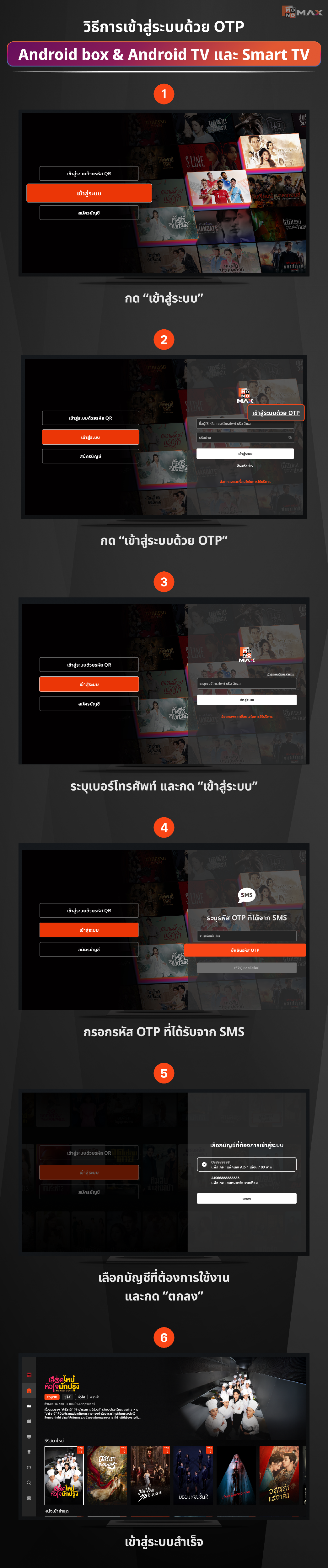
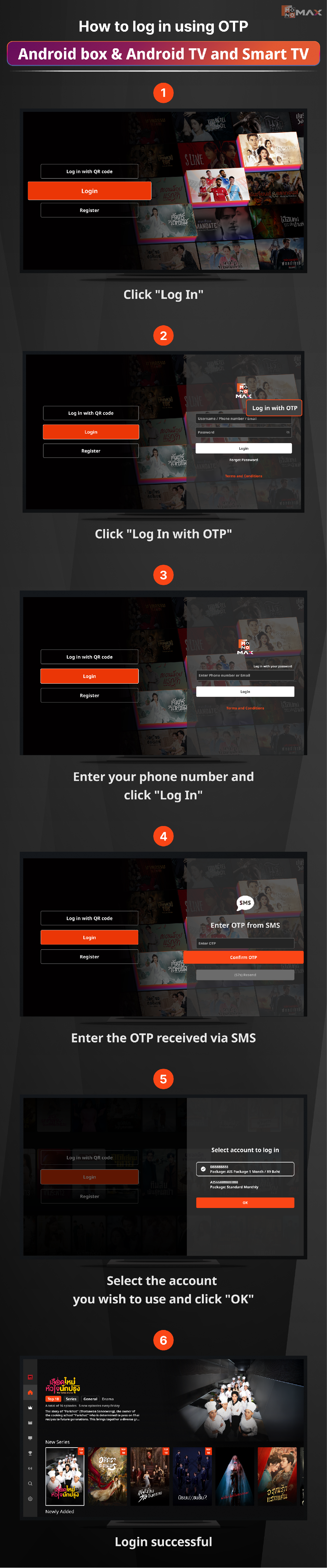
วิธีการเข้าสู่ระบบด้วย OTP ผ่าน Android box & Android TV และ Smart TV
- เปิดแอปพลิเคชัน Monomax จากนั้น กด “เข้าสู่ระบบ”
- กด “เข้าสู่ระบบด้วย OTP”
- ระบุเบอร์โทรศัพท์ และกด “เข้าสู่ระบบ”
- กรอกรหัส OTP ที่ได้รับจาก SMS
- เลือกบัญชีที่ต้องการใช้งาน และกด “ตกลง”
- เข้าสู่ระบบสำเร็จ
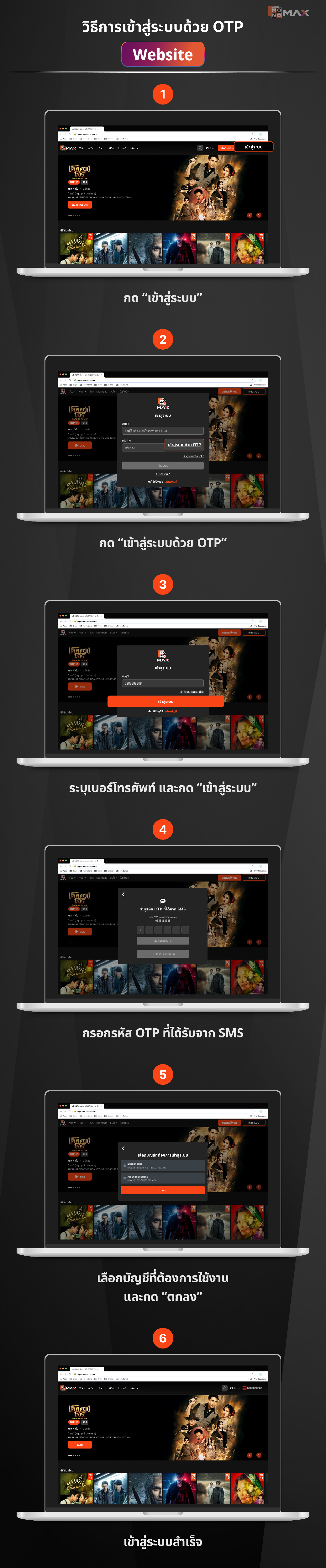
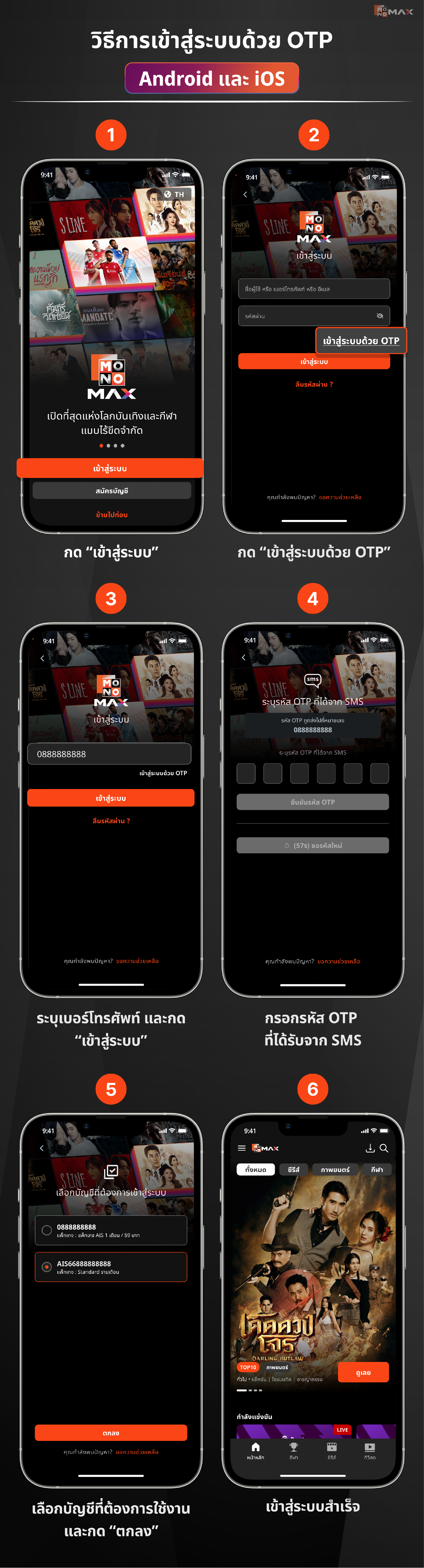
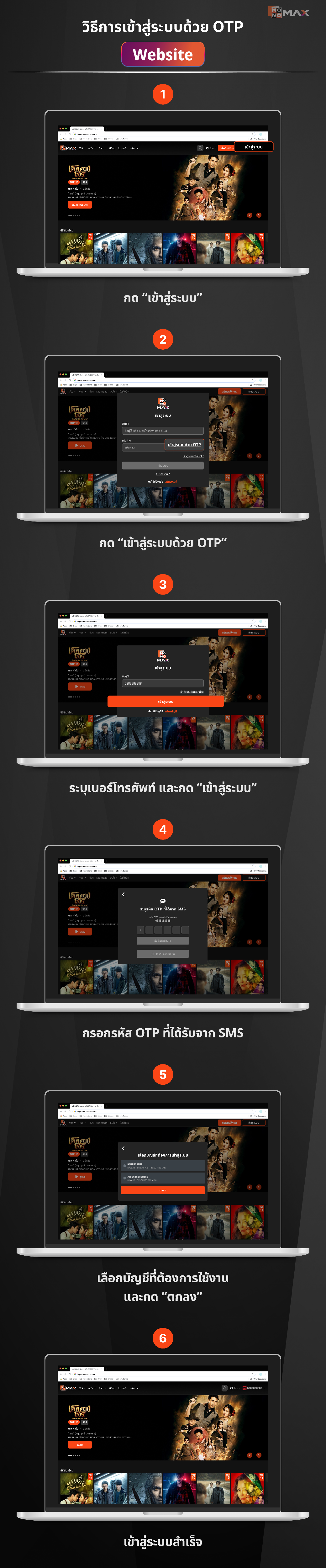
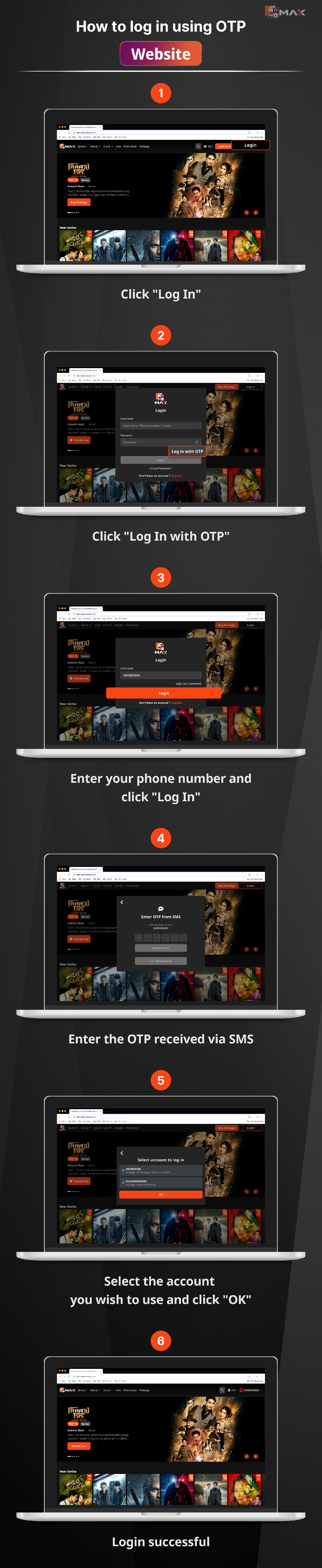
วิธีการเข้าสู่ระบบด้วย OTP ผ่าน Website
- พิมพ์ monomax.me กด “เข้าสู่ระบบ”
- กด “เข้าสู่ระบบด้วย OTP”
- ระบุเบอร์โทรศัพท์ และกด “เข้าสู่ระบบ”
- กรอกรหัส OTP ที่ได้รับจาก SMS และกด “ยืนยันรหัส OTP”
- เลือกบัญชีที่ต้องการใช้งาน และกด "ตกลง"
- เข้าสู่ระบบสำเร็จ
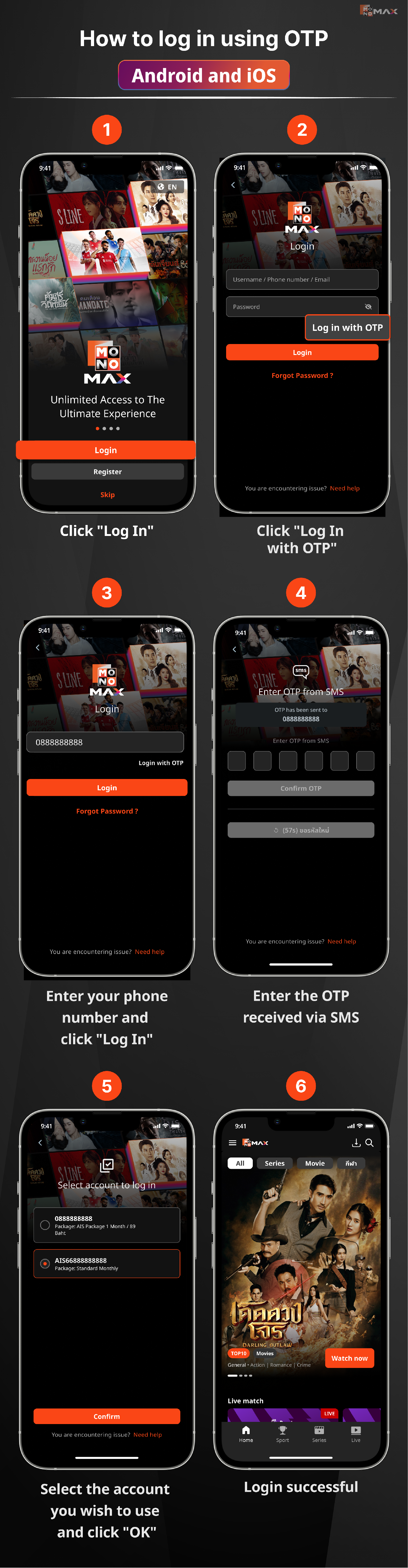
How to log in using OTP Android and iOS
- Click "Log In"
- Click "Log In with OTP"
- Enter your phone number and click "Log In"
- Enter the OTP received via SMS
- Select the account you wish to use and click "OK"
- Login successful
How to log in using OTP Android box & Android TV and Smart TV
- Click "Log In"
- Click "Log In with OTP"
- Enter your phone number and click "Log In"
- Enter the OTP received via SMS
- Select the account you wish to use and click "OK"
- Login successful
How to log in using OTP Website
- Click "Log In"
- Click "Log In with OTP"
- Enter your phone number and click "Log In"
- Enter the OTP received via SMS
- Select the account you wish to use and click "OK"
- Login successful
Did this answer your question?
Thanks for the feedback
There was a problem submitting your feedback. Please try again later.
No results found