วิธีตรวจสอบอุปกรณ์สำหรับดาวน์โหลด
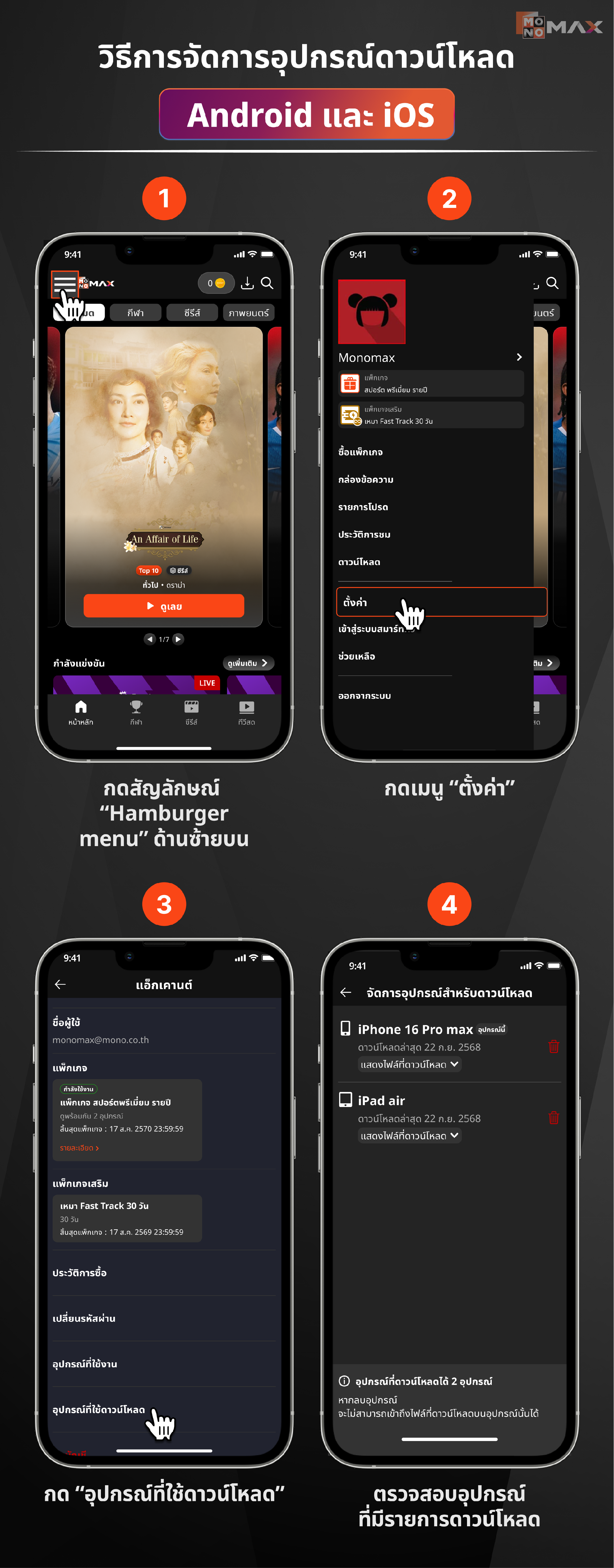
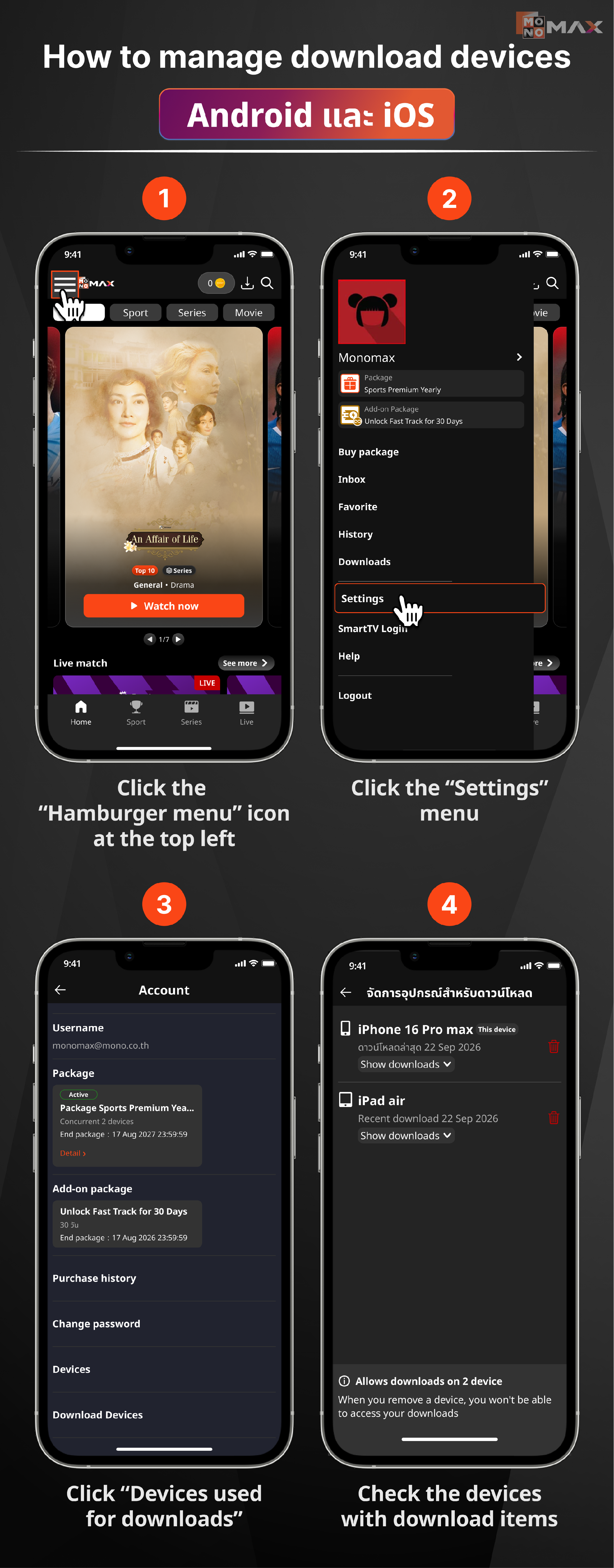
วิธีการจัดการอุปกรณ์ดาวน์โหลด Android และ iOS
- กดสัญลักษณ์ “Hamburger menu” ด้านซ้ายบน
- กดเมนู “ตั้งค่า”
- กด “อุปกรณ์ที่ใช้ดาวน์โหลด”
- ตรวจสอบอุปกรณ์ที่มีรายการดาวน์โหลด
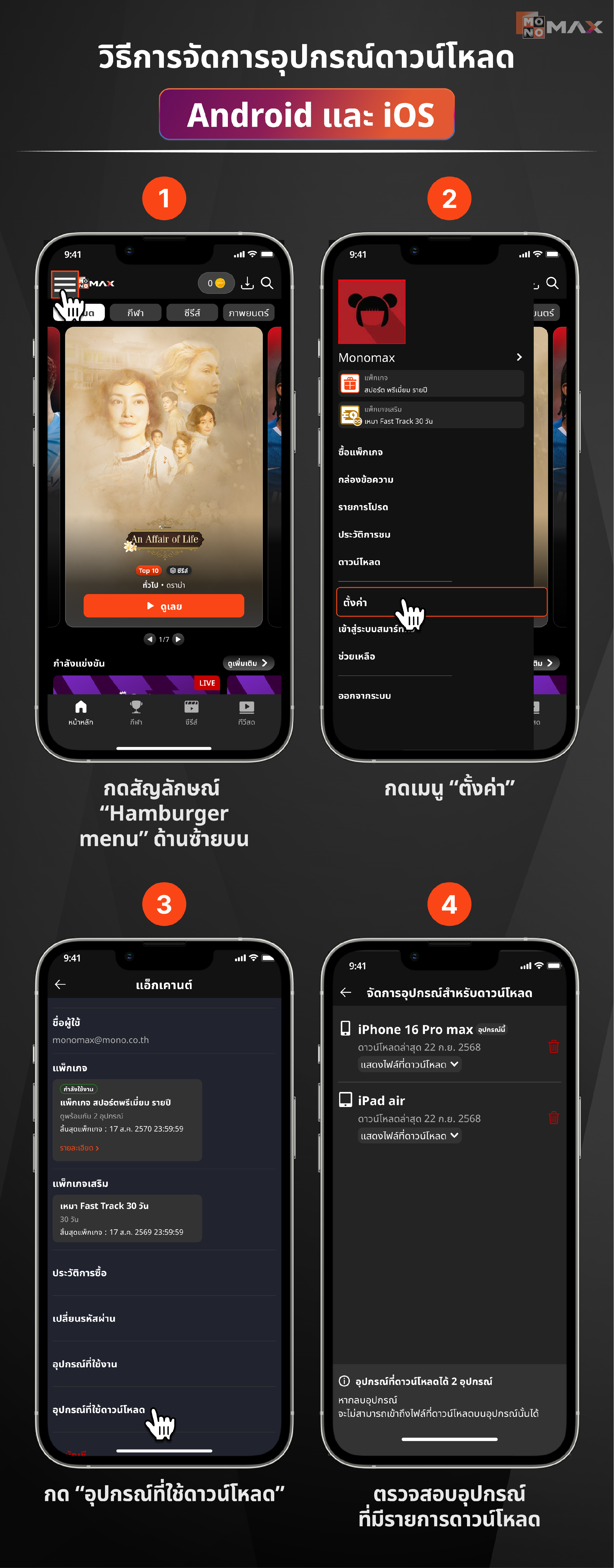
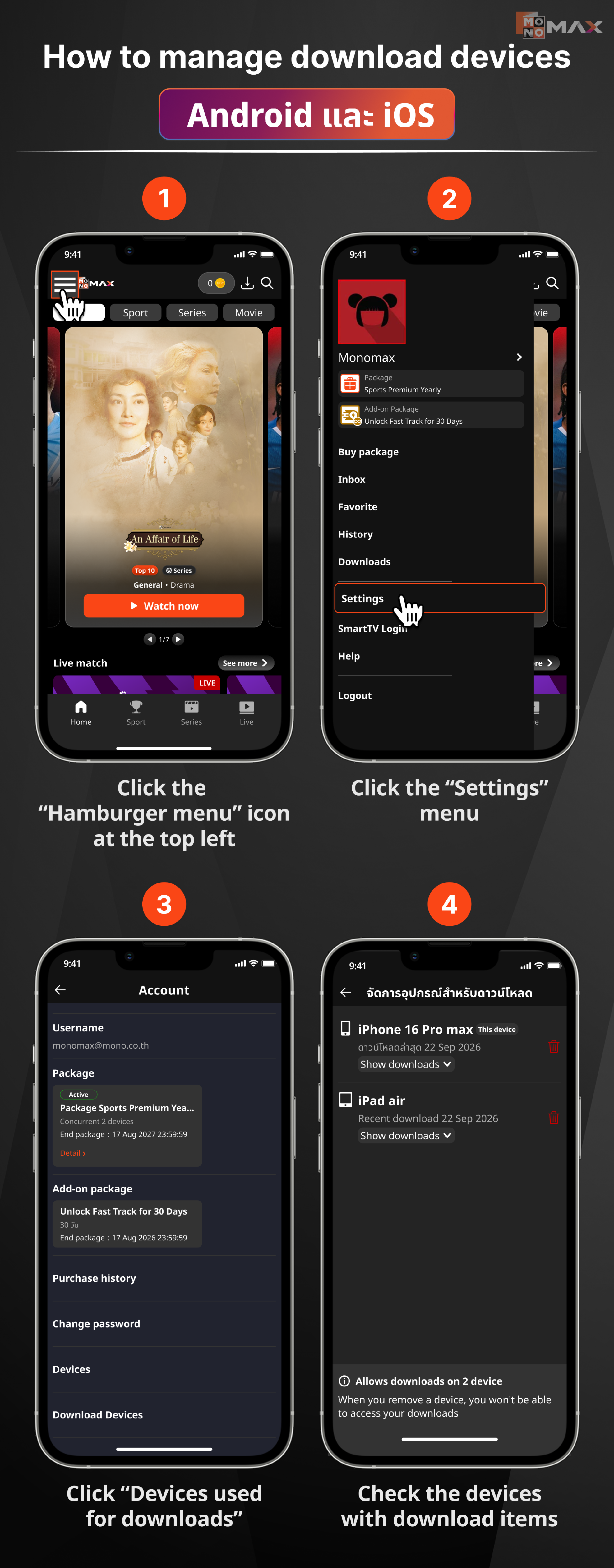
How to manage download devices Android และ iOS
- Click the “Hamburger menu” icon at the top left
- Click the “Settings” menu
- Click “Devices used for downloads”
- Check the devices with download items
Did this answer your question?
Thanks for the feedback
There was a problem submitting your feedback. Please try again later.
No results found