วีธีการดาวน์โหลดวีดีโอ
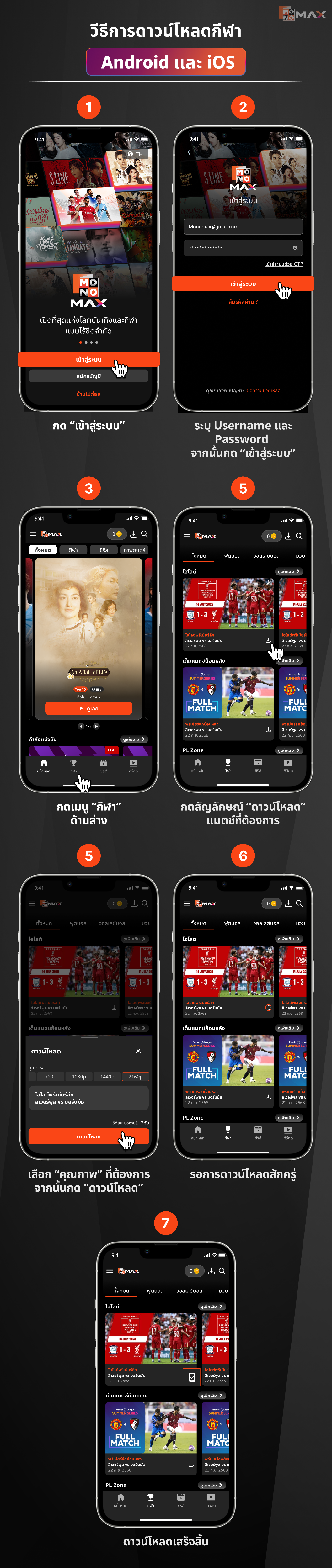
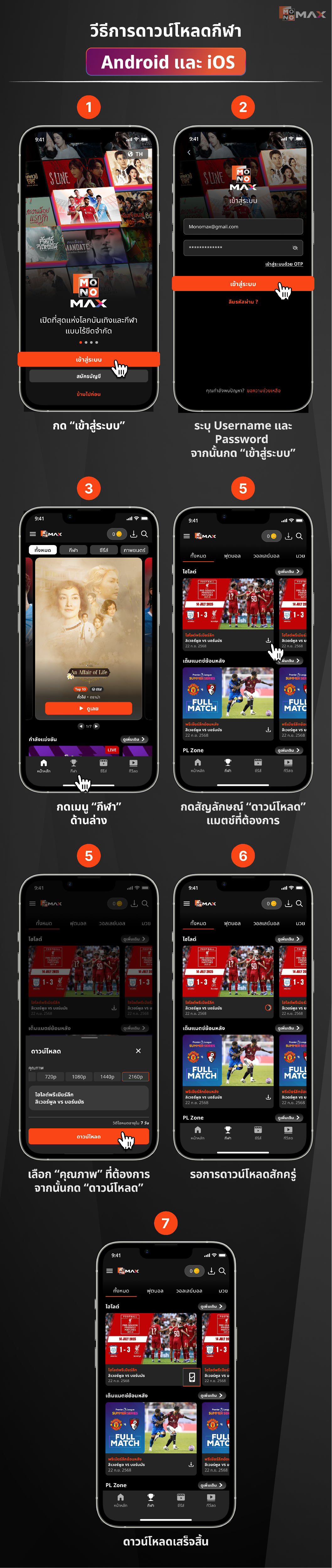
วีธีการดาวน์โหลดกีฬา Android และ iOS
- กด “เข้าสู่ระบบ”
- ระบุ Username และ Password จากนั้นกด “เข้าสู่ระบบ”
- กดเมนู “กีฬา” ด้านล่าง
- กดสัญลักษณ์ “ดาวน์โหลด” แมตช์ที่ต้องการ
- เลือก “คุณภาพ” ที่ต้องการ จากนั้นกด “ดาวน์โหลด”
- รอการดาวน์โหลดสักครู่
- ดาวน์โหลดเสร็จสิ้น
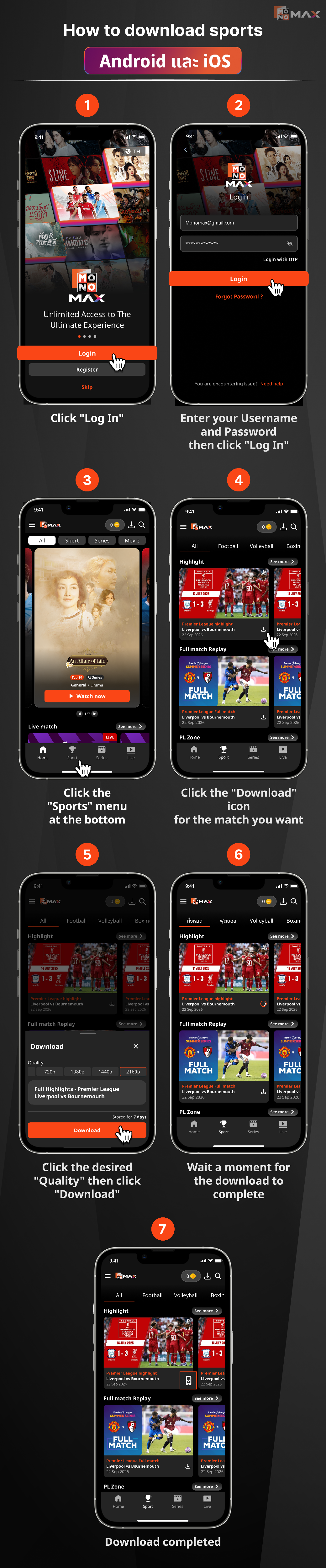
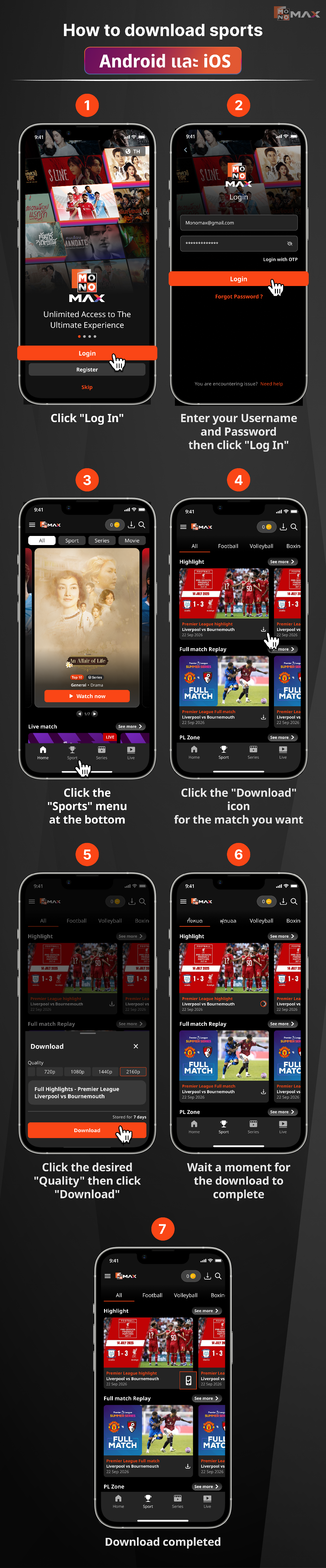
How to download sports Android และ iOS
- Click "Log In"
- Enter your Username and Password then click "Log In"
- Click the "Sports" menu at the bottom
- Click the "Download" icon for the match you want
- Click the desired "Quality" then click "Download"
- Wait a moment for the download to complete
- Download completed
Did this answer your question?
Thanks for the feedback
There was a problem submitting your feedback. Please try again later.
No results found