วิธีรับชมเต็มแมตช์ย้อนหลัง
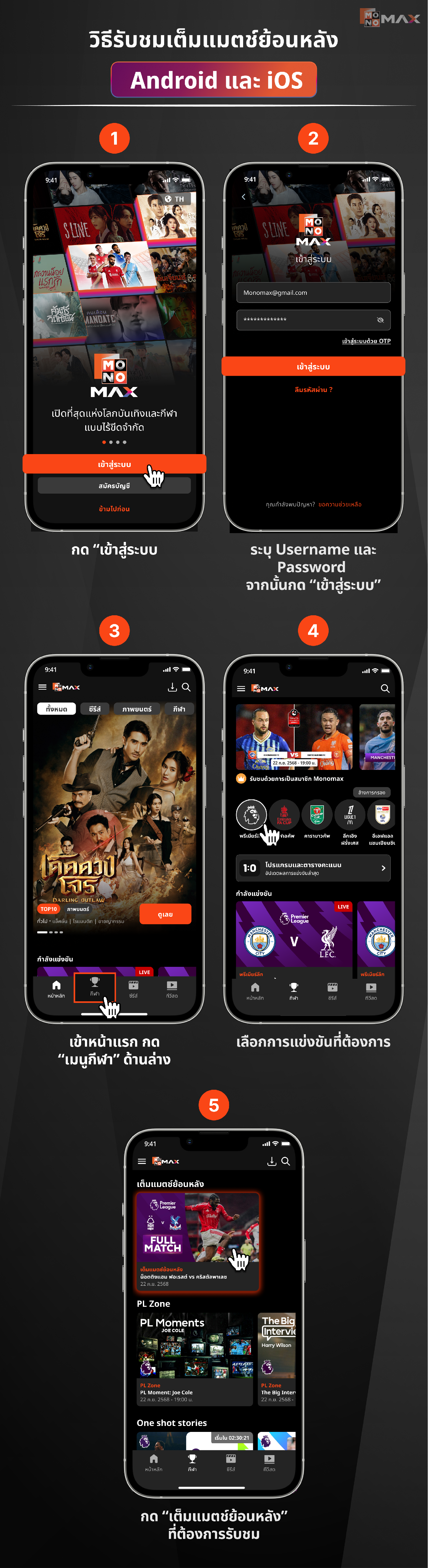
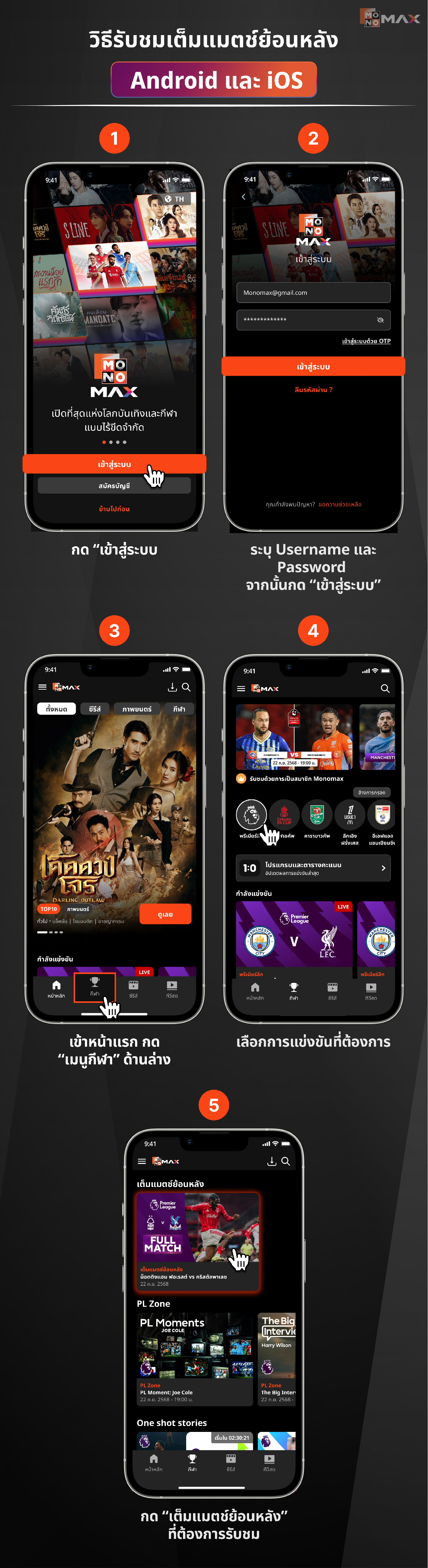
วิธีรับชมเต็มแมตช์ย้อนหลัง Android และ iOS
- กด "เข้าสู่ระบบ"
- ระบุ Username และ Password จากนั้นกด "เข้าสู่ระบบ"
- เข้าหน้าแรก กด "เมนูกีฬา" ด้านล่าง
- เลือกการแข่งขันที่ต้องการ
- กด “เต็มแมตช์ย้อนหลัง” ที่ต้องการรับชม
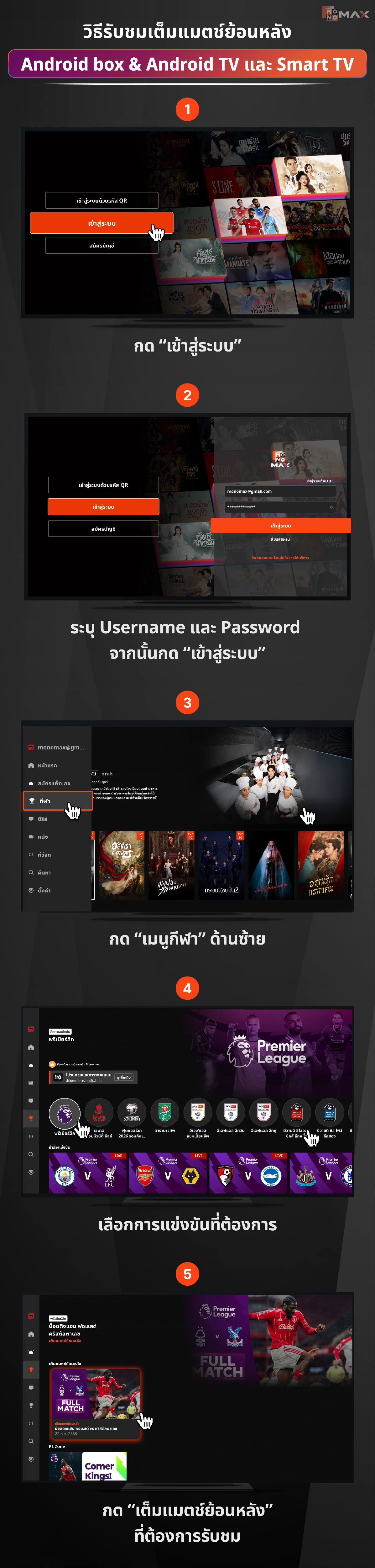
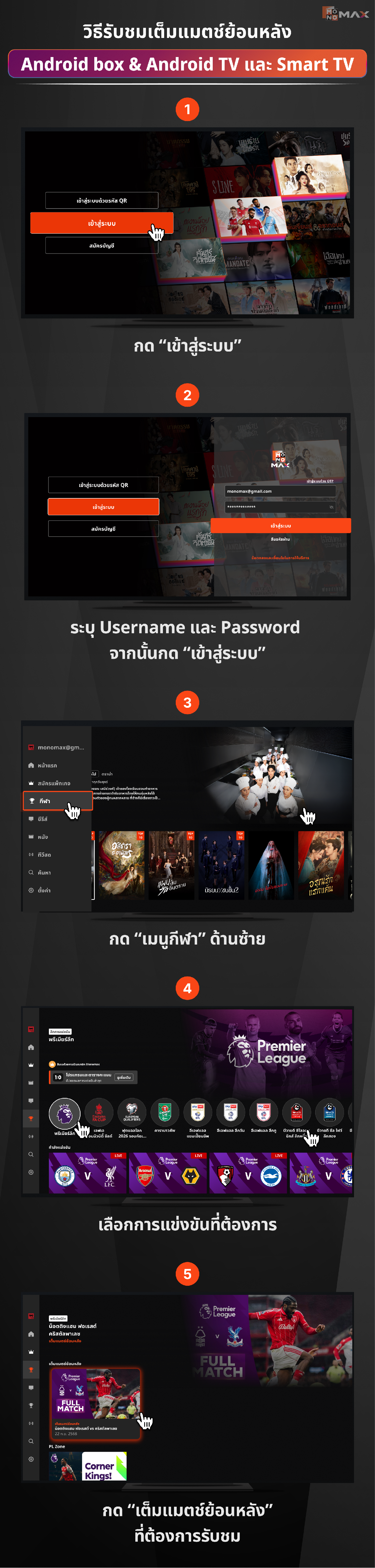
วิธีรับชมเต็มแมตช์ย้อนหลัง Android box & Android TV และ Smart TV
- กด "เข้าสู่ระบบ"
- ระบุ Username และ Password จากนั้นกด "เข้าสู่ระบบ"
- กด "เมนูกีฬา" ด้านซ้าย
- เลือกการแข่งขันที่ต้องการ
- กด “เต็มแมตช์ย้อนหลัง” ที่ต้องการรับชม
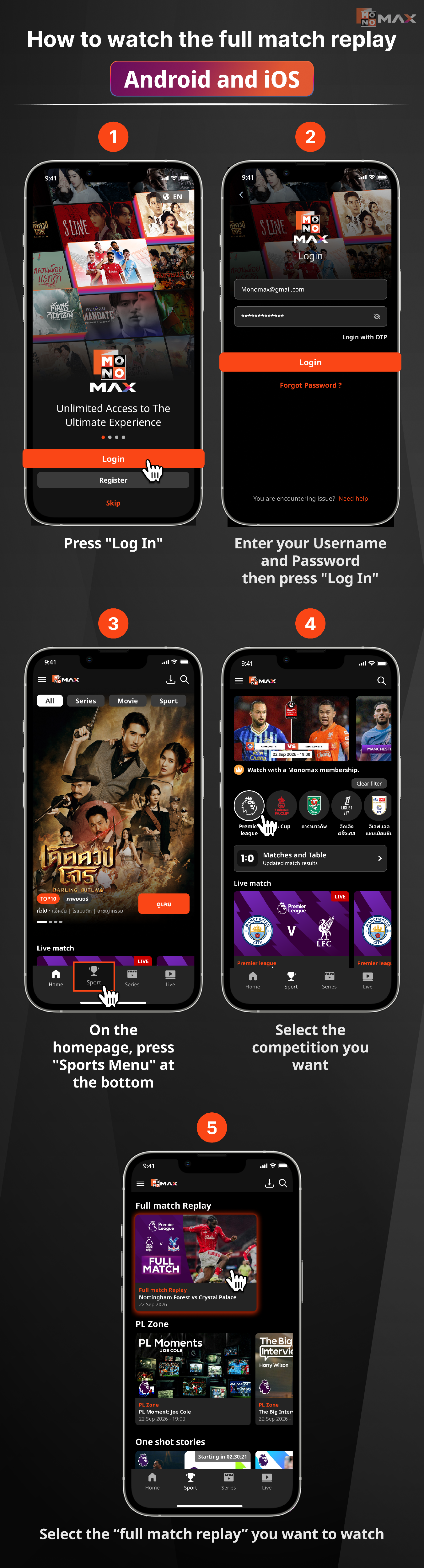
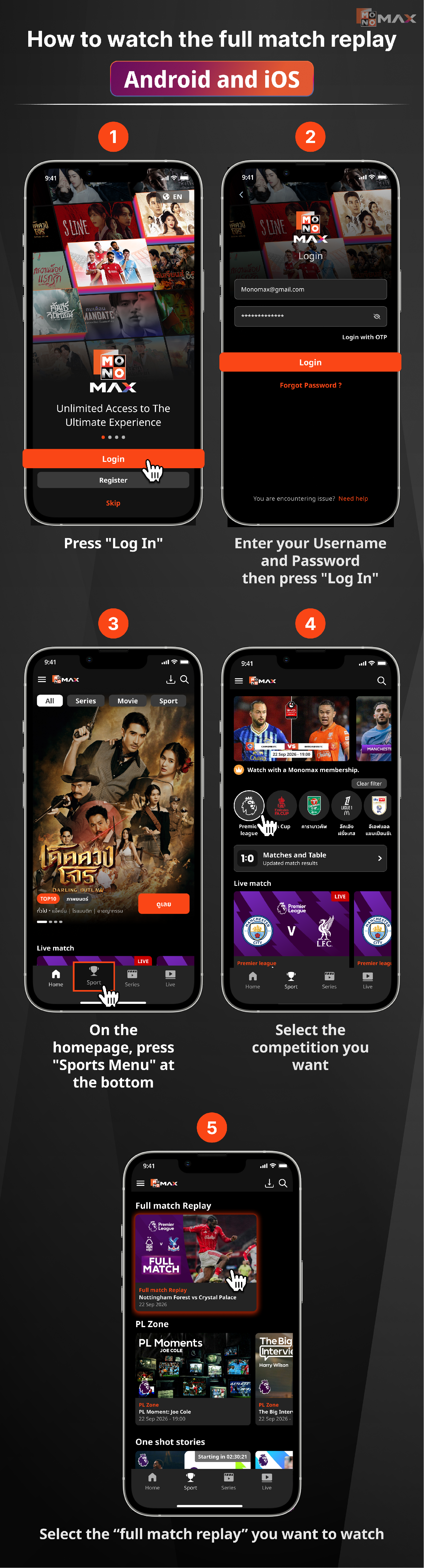
How to watch full match replays on Android and iOS
- Press "Login"
- Enter your Username and Password, then press "Login"
- Go to the homepage and press "Sports Menu" at the bottom
- Select the match you want
- Press “Full Match Replay” that you want to watch
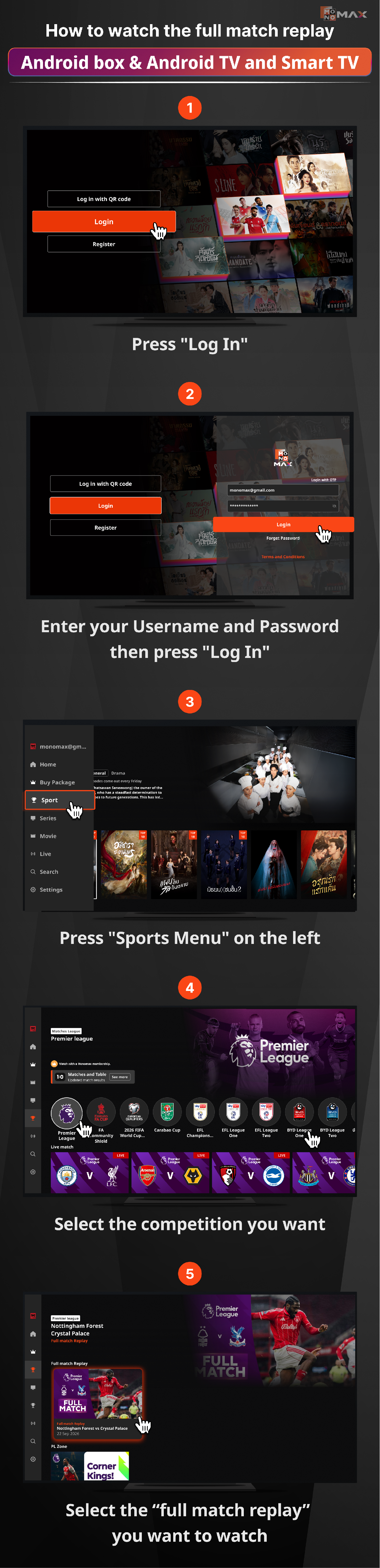
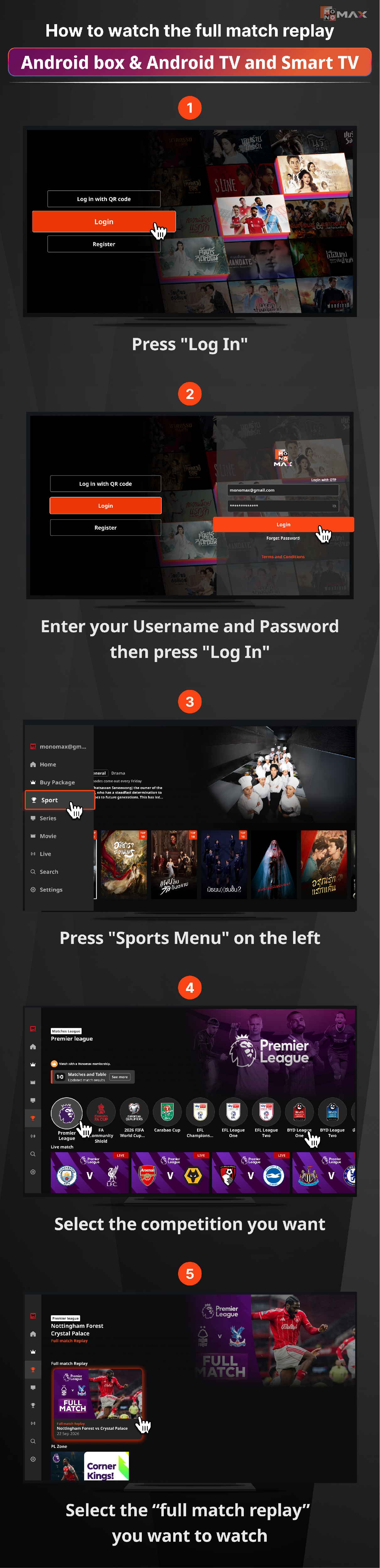
How to watch full match replays on Android box & Android TV and Smart TV
- Press "Login"
- Enter your Username and Password, then press "Login"
- Press "Sports Menu" on the left
- Select the match you want
- Press "Full Match Replay" that you want to watch
Cách xem lại trận đấu đầy đủ trên Android và iOS
- Nhấn "Đăng nhập"
- Nhập Tên người dùng và Mật khẩu sau đó nhấn "Đăng nhập"
- Vào trang chủ, nhấn "Menu thể thao" ở dưới cùng
- Chọn trận đấu mà bạn muốn
- Nhấn “Xem lại trận đấu đầy đủ” mà bạn muốn xem
Cách xem lại trận đấu đầy đủ trên Android box & Android TV và Smart TV
- Nhấn "Đăng nhập"
- Nhập Tên người dùng và Mật khẩu sau đó nhấn "Đăng nhập"
- Nhấn "Menu thể thao" ở bên trái
- Chọn trận đấu mà bạn muốn
- Nhấn "Xem lại trận đấu đầy đủ" mà bạn muốn xem
Did this answer your question?
Thanks for the feedback
There was a problem submitting your feedback. Please try again later.
No results found