วิธีรับชมไฮไลต์-เนื้อหากีฬา
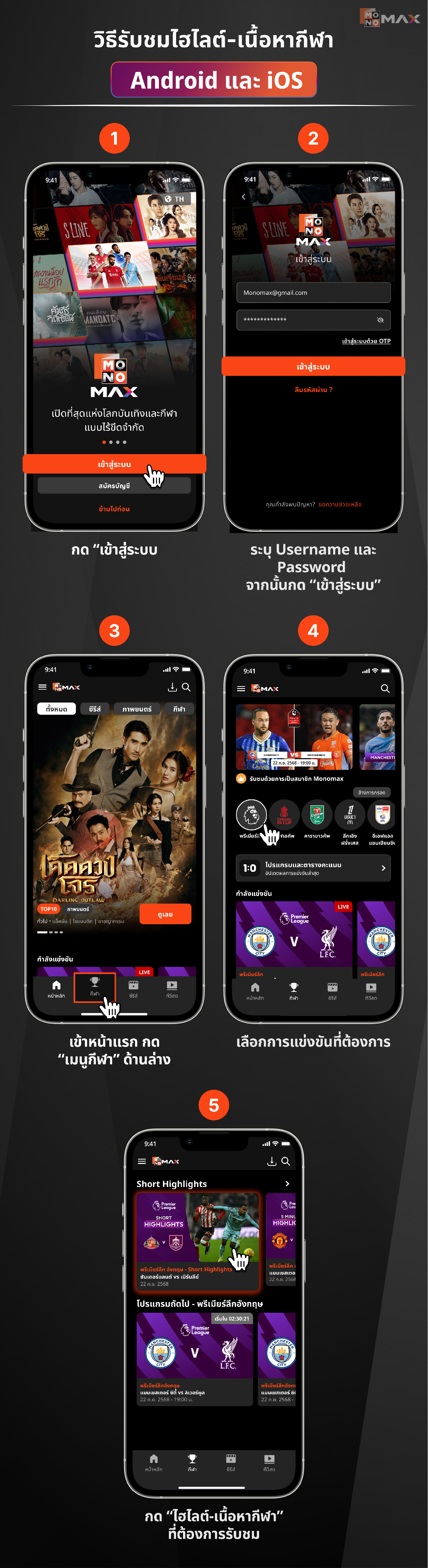
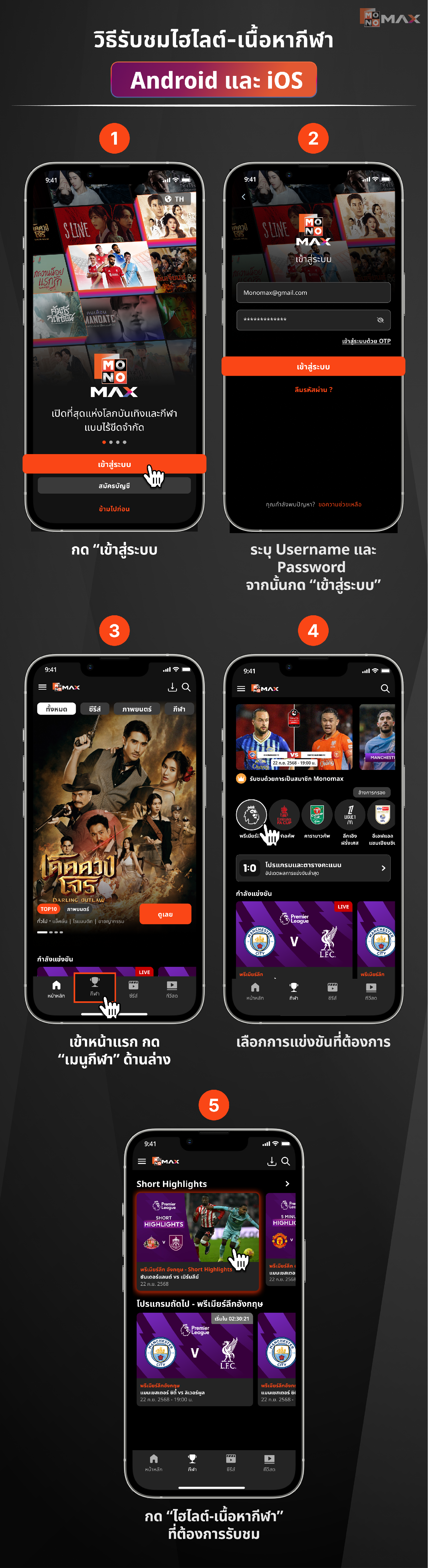
วิธีรับชมไฮไลต์-เนื้อหากีฬา Android และ iOS
- กด "เข้าสู่ระบบ"
- ระบุ Username และ Password จากนั้นกด "เข้าสู่ระบบ"
- เข้าหน้าแรก กด "เมนูกีฬา" ด้านล่าง
- เลือกการแข่งขันที่ต้องการ
- กด "ไฮไลต์-เนื้อหากีฬา" ที่ต้องการรับชม
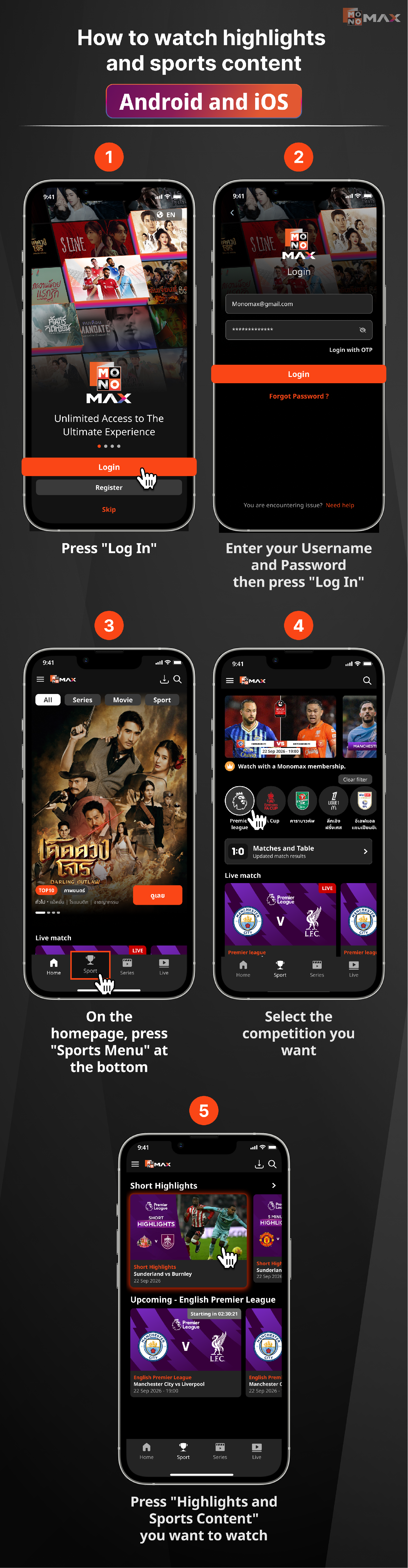
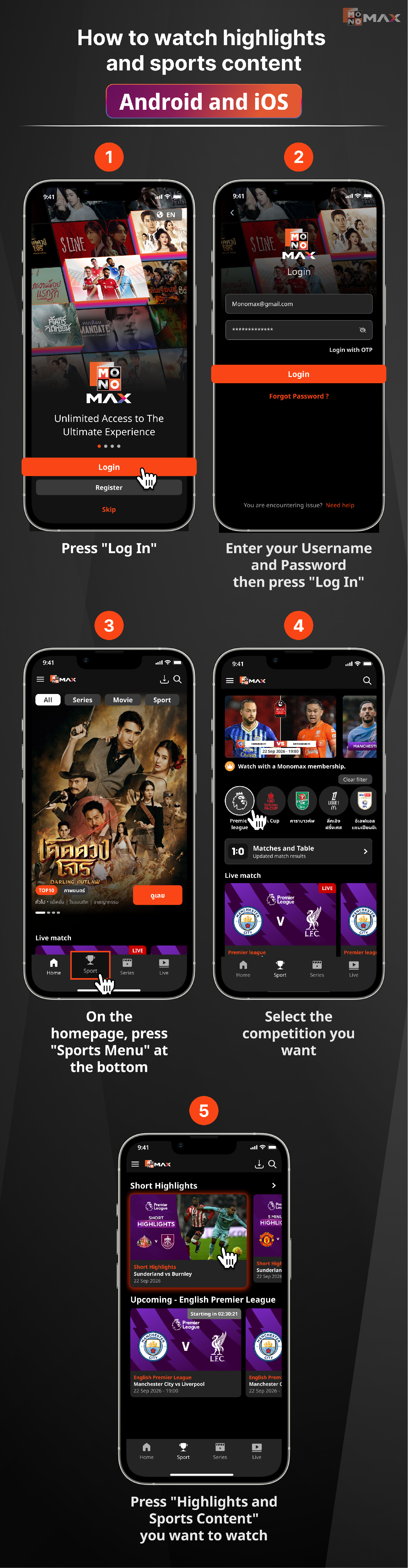
How to watch highlights and sports content Android and iOS
- Press "Log In"
- Enter your Username and Password then press "Log In"
- On the homepage, press "Sports Menu" at the bottom
- Select the competition you want
- Press "Highlights and Sports Content" you want to watch
Cách xem các điểm nổi bật và nội dung thể thao trên Android và iOS
- Nhấn "Đăng Nhập"
- Nhập Tên Người Dùng và Mật Khẩu của bạn rồi nhấn "Đăng Nhập"
- Trên trang chính, nhấn "Thể Thao" ở dưới cùng
- Chọn giải đấu bạn muốn
- Nhấn "Các Điểm Nổi Bật và Nội Dung Thể Thao" bạn muốn xem
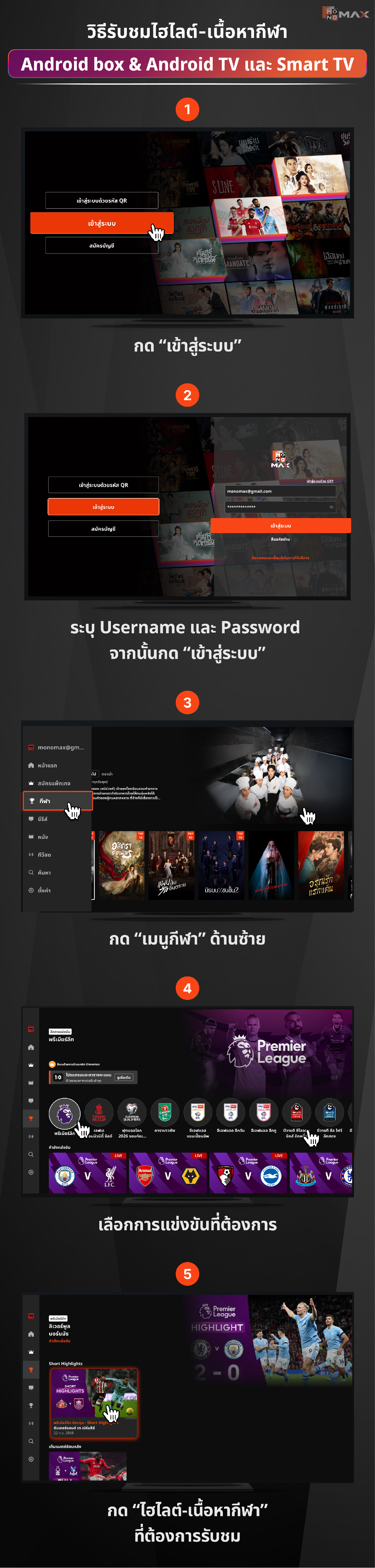
วิธีรับชมไฮไลต์-เนื้อหากีฬา Android box & Android TV และ Smart TV
- กด "เข้าสู่ระบบ"
- ระบุ Username และ Password จากนั้นกด "เข้าสู่ระบบ"
- กด "เมนูกีฬา" ด้านซ้าย
- เลือกการแข่งขันที่ต้องการ
- กด "ไฮไลต์-เนื้อหากีฬา" ที่ต้องการรับชม
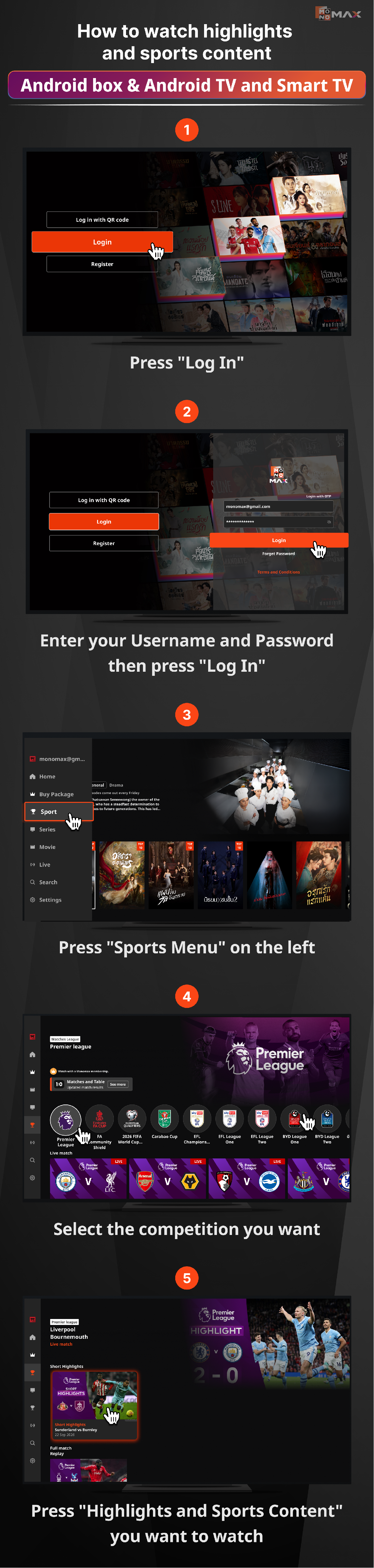
How to watch highlights and sports content Android box & Android TV and Smart TV
- Press "Log In"
- Enter your Username and Password then press "Log In"
- Press "Sports Menu" on the left
- Select the competition you want
- Press "Highlights and Sports Content" you want to watch
Cách xem các điểm nổi bật và nội dung thể thao trên hộp Android & Android TV và Smart TV
- Nhấn "Đăng Nhập"
- Nhập tên người dùng và mật khẩu của bạn rồi nhấn "Đăng Nhập"
- Nhấn "Thể Thao" ở bên trái
- Chọn giải đấu bạn muốn
- Nhấn "Các Đoạn Video Nổi Bật và Nội Dung Thể Thao" bạn muốn xem
Did this answer your question?
Thanks for the feedback
There was a problem submitting your feedback. Please try again later.
No results found