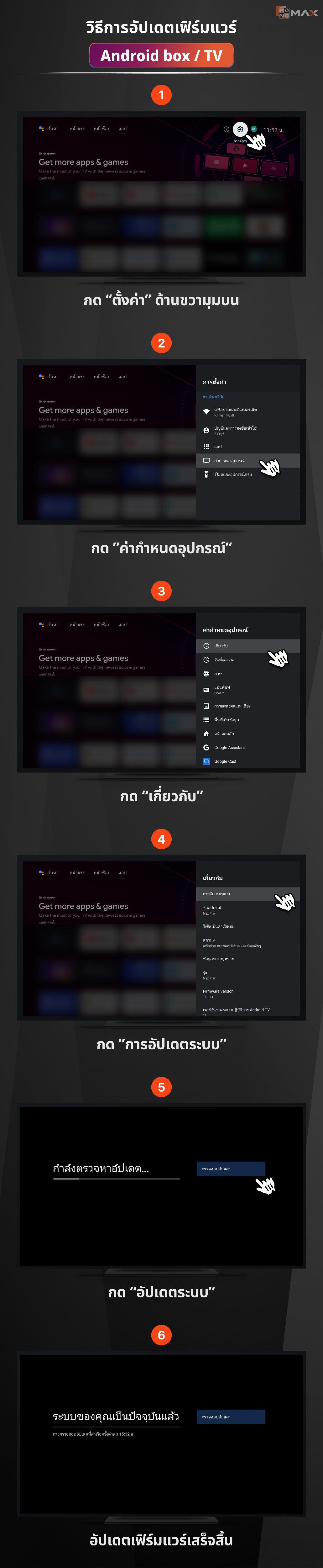
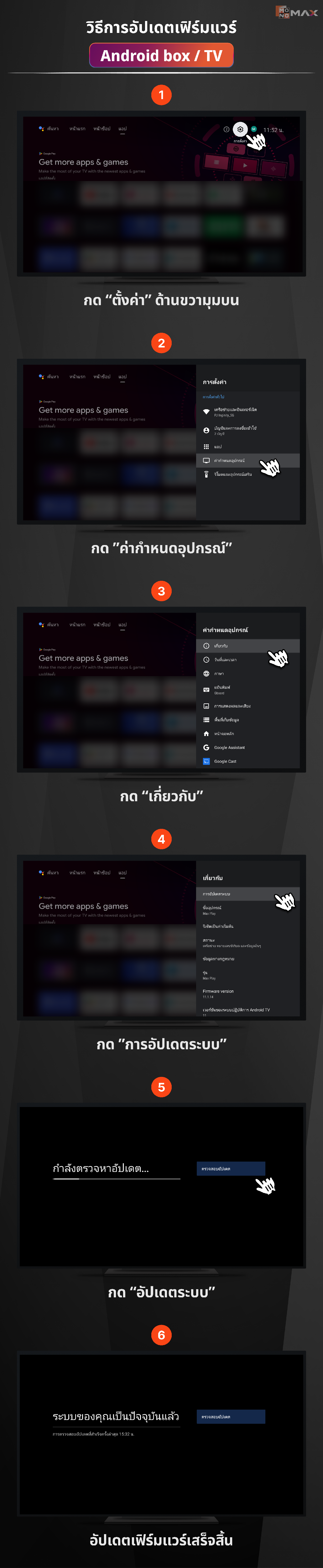
วิธีการอัปเดตเฟิร์มแวร์ Android box/TV
- กด "ตั้งค่า" ที่รูปฟันเฟืองด้านขวามุมบน
- กด "ค่ากำหนดอุปกรณ์"
- กด “เกี่ยวกับ”
- กด "การอัปเดตระบบ"
- กด "อัปเดตระบบ"
- อัปเดตเฟิร์มแวร์เสร็จสิ้น
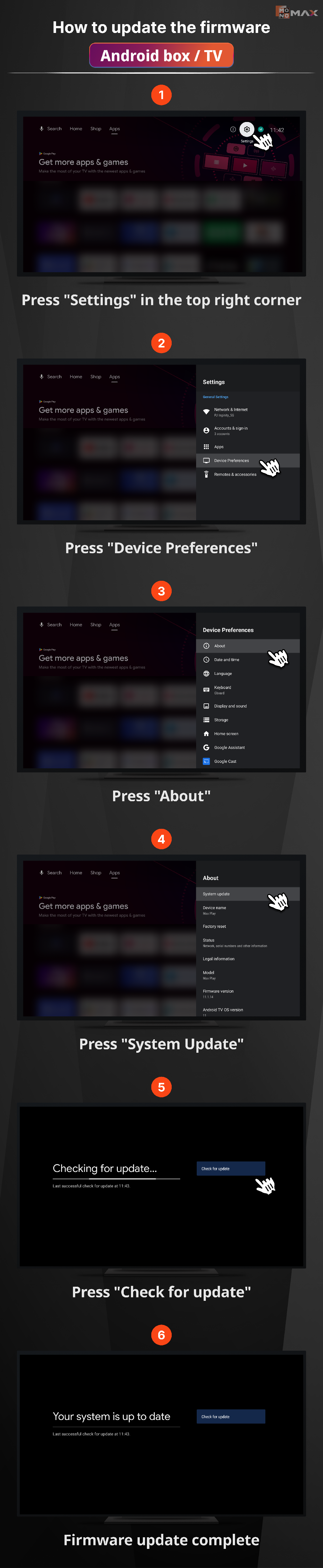
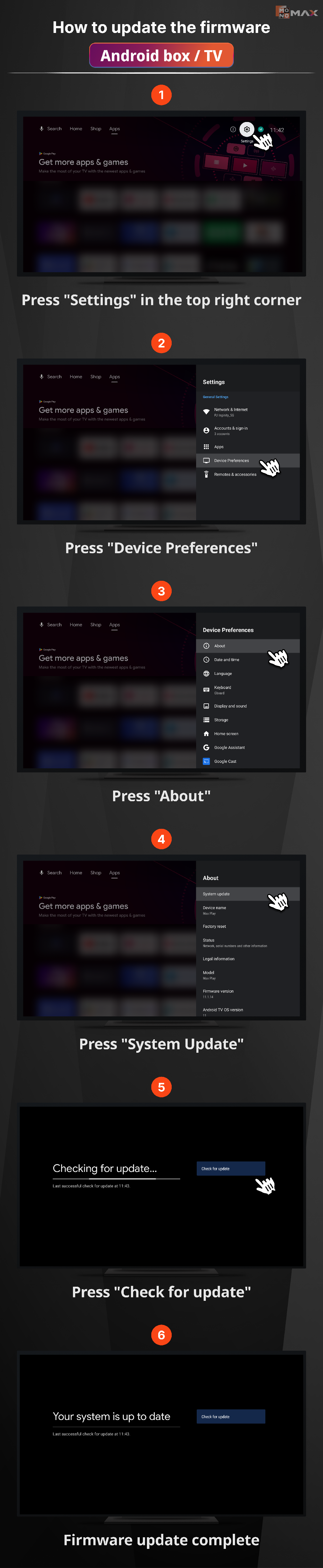
How to update the firmware Android box/ TV
- Press "Settings" in the top right corner
- Press "Device Preferences"
- Press "About"
- Press "System Update"
- Press "Check for update"
- Firmware update complete
Cách cập nhật firmware hộp Android/ TV
- Nhấn "Cài đặt" ở góc trên bên phải
- Nhấn "Tùy chọn thiết bị"
- Nhấn "Giới thiệu"
- Nhấn "Cập nhật hệ thống"
- Nhấn "Kiểm tra cập nhật"
- Cập nhật firmware hoàn tất
Did this answer your question?
Thanks for the feedback
There was a problem submitting your feedback. Please try again later.
No results found